|

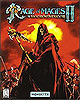
Rage of Mages 2
Necromancer
Аллоды 2: Повелитель Душ |
|
 |
System
Language
Protection
CD Cover |
: PC
: 
: CD-Checks
: Cover Target |
 |
|
File Archive [2.6 MB] |
|
Play Instructions:
- Install the game - Full Installation.
- Replace the original ALLODS2.EXE & ENGINE32.DLL files with the ones from the File Archive.
- Play the Game!
|
|
 |
|
File Archive [10 KB] |
|
|
Play Instructions:
- Install the game - Full Installation.
- Extract the ROM2_INTERNET_SERVER_PACK_CD_CHECK.EXE Patch from the File Archive to the game directory.
- Execute the Patch to remove the CD-Check from: ROM2.EXE
- Play the Game!
|
|
 |
|
File Archive [17 KB] |
|
|
Play Instructions:
- Install the game - Full Installation.
- Extract the ROM2_KARCAW99.EXE patch to the game directory.
- Execute the Patch to apply the fix.
- Play the Game!
|
|
Backup Anleitung:
- Startet Nero
- Burning Rom (4.0.0.5 oder neuer).
- Aus der Menüleiste wähle File und wähle
CD-Copy.
- Folgende Einstellungen vornehmen (rest unverändert
lassen):
|
| Image
Tab |
| Image file |
Image filename eingeben |
| Copy
options Tab |
| On the fly |
nicht angeklickt |
| Drive with source CD... |
Wähle Source
CD-Reader |
| Read Speed |
1x (150 kB/s) |
| Read
options Tab |
| Number of retries before read error |
10 |
| Read media catalog number and ISCR |
angeklickt |
| Ignore illegal TOC Type |
angeklickt |
| Unreadable data |
Continue copying |
Data mode 1 - Force raw reading
- If it can be changed or it is not ghosted |
angeklickt |
| Data mode 1 - On errors... |
write uncorrected |
| Data mode 2 - Force raw reading |
angeklickt |
| Data mode 2 - On errors... |
write uncorrected |
| Read audio data with sub channel |
angeklickt |
| Use Jitter correction |
angeklickt(for older Readers) |
| Ignore read errors |
angeklickt |
| Burn
Tab |
| Ignore read errors |
1x (150 KB/s) |
|
- Klickt auf Copy CD um den Vorgang zu
starten.
|
|

|


|